WhatsApp Business API Message Templates: Categories, Examples and Approval Guide
Explore 50+ WhatsApp Business API message template examples for utility, marketing and authentication. Learn template formats, approval tips and rejection fixes.
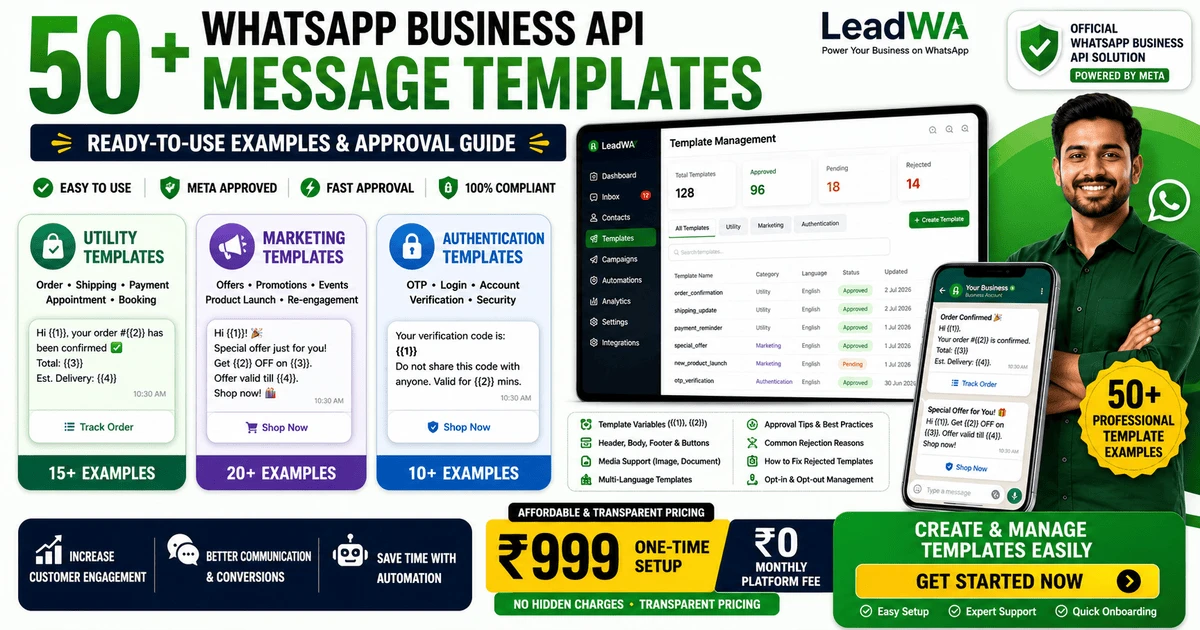
Table of Contents
1. Introduction
Structured WhatsApp communication helps businesses send clear, consistent and relevant messages to customers. Whether confirming an order, sending a shipping update or running a promotional campaign, having well-designed message templates can improve customer experience and communication efficiency.
Businesses often search for WhatsApp Business API message templates to understand template categories, formats, examples and approval requirements. A well-written template:
- Provides clear and useful information to customers
- Uses appropriate language for the message purpose
- Includes relevant customer details through variables
- Complies with applicable WhatsApp messaging requirements
This guide covers 50+ WhatsApp message template examples across utility, marketing and authentication categories. It also explains template structure, variables, approval processes, common rejection reasons and how to fix rejected templates.
In this guide, you will learn:
- What are WhatsApp message templates
- Template categories: utility, marketing and authentication
- Template formats and variables
- 50+ practical template examples
- Template approval process
- Common rejection reasons and how to fix them
- Responsible messaging practices
2. What Is a WhatsApp Business API Message Template?
A WhatsApp message template is a structured, reusable message format that a business can prepare for applicable business communication. Templates may contain:
- Text content – The main message body
- Variables – Placeholders like {{1}}, {{2}} for personalisation
- Headers – Optional text or media headers
- Footers – Optional footer text
- Buttons – Call-to-action or quick-reply buttons where supported
- Media – Images or documents where supported
Approved message templates are generally used for applicable business-initiated communication according to the message category and customer-conversation context. Template use depends on the message purpose, category and applicable WhatsApp requirements.
Key Point: Not every outbound message requires a template. Templates are typically used for business-initiated communication. Customer responses within an open conversation window may not require a template.
3. When Are WhatsApp Message Templates Used?
WhatsApp message templates are used for various types of business communication. Common scenarios include:
- Order updates: Order confirmations, packing updates, shipping notifications
- Payment reminders: Payment confirmations and due-date reminders
- Appointment reminders: Booking confirmations and service updates
- Promotional communication: Product announcements and relevant offers
- Authentication workflows: One-time passwords and verification codes
Applicable customer consent, messaging requirements and template rules must be followed when using templates. Businesses should review template content carefully before submission.
4. WhatsApp Message Template Categories
WhatsApp message templates are organised into three main categories. Each category serves a different communication purpose and has specific requirements.
| Category | Typical Purpose | Example Use Cases | Important Consideration |
|---|---|---|---|
| Utility | Transactional communication | Order confirmations, shipping updates, payment notifications, appointment reminders, booking confirmations | Generally does not require opt-in consent, but should be relevant to the customer's transaction or request |
| Marketing | Promotional communication | Product announcements, offers, seasonal campaigns, customer re-engagement, event invitations | Requires appropriate customer opt-in consent and clear opt-out options |
| Authentication | Verification workflows | One-time passwords, account verification, login verification, security-related authentication | Should not request sensitive credentials like passwords or payment PINs |
Note: Category classification, review and approval are determined according to applicable WhatsApp requirements. Requirements may change over time. Businesses should review current guidelines before creating or submitting templates.
5. Utility Message Templates
Utility message templates generally support relevant customer-requested or transaction-related communication. These templates provide useful information that customers expect to receive, such as order updates and appointment confirmations.
Utility templates typically include:
- Order confirmation: Confirm customer orders with details
- Shipping update: Notify customers about shipping status
- Delivery update: Provide delivery tracking information
- Payment confirmation: Confirm payment receipts
- Invoice notification: Share invoice or receipt details
- Appointment reminder: Remind customers about upcoming appointments
- Booking confirmation: Confirm bookings and reservations
- Service update: Provide service status updates
- Account-related update: Share account notifications
Note: Not all transactional messages are automatically approved. Content, clarity and relevance are important factors in the review process.
6. Marketing Message Templates
Marketing message templates are used for promotional communication. These templates help businesses share product announcements, relevant offers and customer engagement content with customers who have provided appropriate consent.
Marketing templates may support:
- Product announcements: Share new product launches
- Relevant offers: Communicate applicable discounts or promotions
- Seasonal campaigns: Share festival or seasonal promotions
- Customer re-engagement: Re-engage with past customers
- Event invitations: Invite customers to events or webinars
- New-service announcements: Share new service offerings
- Customer engagement: Share useful content and updates
Important: Businesses must obtain appropriate customer consent before sending marketing messages. Clear opt-out instructions should be provided where applicable. Unsolicited messaging is not permitted.
7. Authentication Message Templates
Authentication message templates are used for verification workflows. These templates help businesses verify customer identities and secure accounts.
Authentication templates are used for:
- One-time passwords: Send temporary codes for login or transactions
- Account verification: Verify new account registrations
- Login verification: Confirm new login attempts
- Security-related verification: Verify security actions
Security Note: Businesses should avoid requesting passwords, payment PINs or other sensitive credentials through message templates. Use one-time passwords (OTPs) for verification instead of asking for static credentials.
8. Anatomy of a WhatsApp Message Template
Understanding the structure of a WhatsApp message template helps businesses create clear and effective templates. A typical template may include:
- Header: Optional text or media header
- Body: The main message content with variables
- Footer: Optional footer text
- Buttons: Optional call-to-action or quick-reply buttons
Example Template Structure
Header: Order Update
Body: Hello {{1}}, your order {{2}} has been confirmed and is expected to arrive by {{3}}.
Footer: Thank you for shopping with Example Store.
Button: Track Order
Example for educational purposes only.
9. WhatsApp Template Variables and Personalisation
Template variables are placeholders that allow businesses to personalise messages. Variables are typically represented as:
- {{1}} – First variable (e.g., customer name)
- {{2}} – Second variable (e.g., order number)
- {{3}} – Third variable (e.g., delivery date)
Variables should:
- Have clear context so the message remains readable
- Use accurate customer information
- Avoid exposing unnecessary personal data
- Be tested before campaign launch
- Avoid inserting prohibited or misleading content
Good vs Poor Variable Usage
Poor Example:
Hello {{1}}, {{2}} is ready. Click {{3}}.
Context unclear, variables lack meaning
Improved Example:
Hello {{1}}, your order {{2}} is ready for collection. View the collection details using the button below.
Clear context, variables have clear meaning
10. 15 Utility Message Template Examples
Here are 15 utility message template examples for various transactional communication scenarios:
1. Order Confirmation
Category: Utility
Use Case: Confirm customer orders
Variables: {{1}} – Customer name, {{2}} – Order number
Button: View Order
2. Order Packed
Category: Utility
Use Case: Notify customers their order is packed
Variables: {{1}} – Customer name, {{2}} – Order number
3. Shipping Update
Category: Utility
Use Case: Send shipping notifications
Variables: {{1}} – Customer name, {{2}} – Order number, {{3}} – Tracking ID, {{4}} – Expected delivery date
Button: Track Order
4. Out-for-Delivery Update
Category: Utility
Use Case: Notify customers of imminent delivery
Variables: {{1}} – Customer name, {{2}} – Order number
5. Delivery Confirmation
Category: Utility
Use Case: Confirm successful delivery
Variables: {{1}} – Customer name, {{2}} – Order number
6. Payment Confirmation
Category: Utility
Use Case: Confirm payment receipts
Variables: {{1}} – Customer name, {{2}} – Payment amount, {{3}} – Order number
7. Payment Reminder
Category: Utility
Use Case: Remind customers about pending payments
Variables: {{1}} – Customer name, {{2}} – Payment amount, {{3}} – Order number, {{4}} – Due date
Button: Make Payment
8. Invoice Available
Category: Utility
Use Case: Share invoice details
Variables: {{1}} – Customer name, {{2}} – Invoice number, {{3}} – Order number
9. Appointment Confirmation
Category: Utility
Use Case: Confirm appointments
Variables: {{1}} – Customer name, {{2}} – Appointment date, {{3}} – Appointment time
10. Appointment Reminder
Category: Utility
Use Case: Remind customers about appointments
Variables: {{1}} – Customer name, {{2}} – Appointment date, {{3}} – Appointment time
Button: Reschedule
11. Booking Confirmation
Category: Utility
Use Case: Confirm bookings and reservations
Variables: {{1}} – Customer name, {{2}} – Booking number, {{3}} – Date
12. Service-Request Update
Category: Utility
Use Case: Update customers on service requests
Variables: {{1}} – Customer name, {{2}} – Request number, {{3}} – Current status
13. Subscription Renewal Reminder
Category: Utility
Use Case: Remind customers about subscription renewals
Variables: {{1}} – Customer name, {{2}} – Renewal date, {{3}} – Renewal amount
14. Account Update
Category: Utility
Use Case: Share account-related updates
Variables: {{1}} – Customer name
15. Customer-Support Follow-Up
Category: Utility
Use Case: Follow up on support tickets
Variables: {{1}} – Customer name, {{2}} – Ticket number
Note: These examples are for educational purposes only. Actual template approval depends on the content, category and applicable WhatsApp requirements. Businesses should customise templates based on their specific communication needs.
11. 20 Marketing Message Template Examples
Here are 20 marketing message template examples for various promotional scenarios:
1. New Product Announcement
Category: Marketing
Use Case: Announce a new product launch
Variables: {{1}} – Customer name
Button: Learn More
Consent Note: Marketing consent required
2. Seasonal Offer
Category: Marketing
Use Case: Share a seasonal promotion
Variables: {{1}} – Customer name, {{2}} – Discount percentage, {{3}} – Offer end date
Button: Shop Now
Consent Note: Marketing consent required
3. Festival Campaign
Category: Marketing
Use Case: Festival promotion
Variables: {{1}} – Customer name
Button: Explore Offers
4. Product Restock
Category: Marketing
Use Case: Notify customers about restocked items
Variables: {{1}} – Customer name
Button: View Product
5. Customer Re-Engagement
Category: Marketing
Use Case: Re-engage past customers
Variables: {{1}} – Customer name, {{2}} – Discount percentage
Button: Shop Now
6. Event Invitation
Category: Marketing
Use Case: Invite customers to an event
Variables: {{1}} – Customer name, {{2}} – Event date
Button: Register Now
7. Webinar Invitation
Category: Marketing
Use Case: Invite customers to a webinar
Variables: {{1}} – Customer name, {{2}} – Webinar date, {{3}} – Webinar topic
Button: Register Now
8. New Service Announcement
Category: Marketing
Use Case: Announce a new service
Variables: {{1}} – Customer name, {{2}} – Service name
Button: Learn More
9. Product Recommendation
Category: Marketing
Use Case: Recommend products to customers
Variables: {{1}} – Customer name, {{2}} – Product name
Button: View Product
10. Customer Feedback Request
Category: Marketing
Use Case: Request customer feedback
Variables: {{1}} – Customer name
Button: Share Feedback
11. Loyalty Update
Category: Marketing
Use Case: Share loyalty program updates
Variables: {{1}} – Customer name, {{2}} – Points earned
Button: View Rewards
12. Educational Resource
Category: Marketing
Use Case: Share useful educational content
Variables: {{1}} – Customer name, {{2}} – Guide topic
Button: Download Guide
13. Ecommerce Collection Launch
Category: Marketing
Use Case: Launch a new ecommerce collection
Variables: {{1}} – Customer name
Button: Shop Collection
14. Limited-Period Promotion
Category: Marketing
Use Case: Share a limited-time offer
Variables: {{1}} – Customer name, {{2}} – Discount percentage, {{3}} – Offer end date
Button: Shop Now
15. Course Announcement
Category: Marketing
Use Case: Announce a new course
Variables: {{1}} – Customer name, {{2}} – Course topic
Button: Enroll Now
16. Real-Estate Property Update
Category: Marketing
Use Case: Share new property listings
Variables: {{1}} – Customer name, {{2}} – Location
Button: View Properties
17. Travel Package Update
Category: Marketing
Use Case: Share new travel packages
Variables: {{1}} – Customer name, {{2}} – Destination
Button: View Packages
18. Restaurant Menu Update
Category: Marketing
Use Case: Share updated menu items
Variables: {{1}} – Customer name
Button: View Menu
19. Local-Service Offer
Category: Marketing
Use Case: Share local service promotions
Variables: {{1}} – Customer name, {{2}} – Discount percentage
Button: Book Now
20. Business-Newsletter Update
Category: Marketing
Use Case: Share business updates
Variables: {{1}} – Customer name
Button: Read Newsletter
Note: Suggested categories are educational examples only. Final classification and approval depend on applicable WhatsApp requirements and message content. Businesses must obtain appropriate consent before sending marketing messages.
12. 10 Authentication Message Template Examples
Here are 10 authentication message template examples for verification workflows:
1. Login Verification
Category: Authentication
Use Case: Verify login attempts
Variables: {{1}} – Customer name, {{2}} – OTP code
2. Account-Registration Verification
Category: Authentication
Use Case: Verify new account registrations
Variables: {{1}} – Customer name, {{2}} – OTP code
3. Phone-Number Verification
Category: Authentication
Use Case: Verify phone numbers
Variables: {{1}} – Customer name, {{2}} – OTP code
4. Password-Reset Verification
Category: Authentication
Use Case: Verify password reset requests
Variables: {{1}} – Customer name, {{2}} – OTP code
5. Transaction Verification
Category: Authentication
Use Case: Verify transactions
Variables: {{1}} – Customer name, {{2}} – OTP code
6. Device-Login Verification
Category: Authentication
Use Case: Verify new device logins
Variables: {{1}} – Customer name, {{2}} – OTP code
7. Account-Recovery Verification
Category: Authentication
Use Case: Verify account recovery attempts
Variables: {{1}} – Customer name, {{2}} – OTP code
8. Email-Change Verification
Category: Authentication
Use Case: Verify email change requests
Variables: {{1}} – Customer name, {{2}} – OTP code
9. Security-Action Verification
Category: Authentication
Use Case: Verify security actions
Variables: {{1}} – Customer name, {{2}} – OTP code
10. Two-Step Verification
Category: Authentication
Use Case: Two-step verification
Variables: {{1}} – Customer name, {{2}} – OTP code
Security Warning: Never include real OTP values in template examples. Always use placeholder variables like {{2}} for OTPs. Do not request passwords, UPI PINs, ATM PINs, CVV or full card details through message templates.
13. WhatsApp Message Template Approval Process
The template approval process helps ensure that messages comply with applicable WhatsApp requirements. Here is the typical process:
- Step 1: Choose the appropriate template purpose
- Step 2: Select the most appropriate category (utility, marketing or authentication)
- Step 3: Write clear and relevant message content
- Step 4: Add variables with clear context
- Step 5: Add optional header, footer or buttons where supported
- Step 6: Review spelling, accuracy and customer experience
- Step 7: Submit through the applicable template-management workflow
- Step 8: Wait for applicable review
- Step 9: Test the approved template before broader use
Note: Review times vary depending on template content, category, platform workload and applicable review requirements. Approval is not guaranteed. Businesses should plan ahead for template review when preparing campaigns.
14. Common WhatsApp Template Rejection Reasons
Templates may be rejected for various reasons. Understanding these reasons helps businesses improve their templates.
| Rejection Reason | Explanation | How to Address |
|---|---|---|
| Unclear message purpose | The template content does not clearly explain what the message is about | Clarify the message purpose and ensure the content is easy to understand |
| Category mismatch | The selected category does not match the message content | Review the category guidelines and select the appropriate category |
| Excessive promotional wording | Marketing content is submitted as a utility template | Use the marketing category for promotional content |
| Misleading claims | Content includes claims that may be misleading | Ensure all claims are accurate and supported |
| Missing variable context | Variables are used without clear context | Provide clear context for each variable |
| Poor formatting | Formatting issues in the message | Review formatting and ensure it is clean and readable |
| Grammar or spelling problems | Errors in spelling or grammar | Proofread the content carefully |
| Prohibited content | Content violates WhatsApp policies | Review applicable policies and remove prohibited content |
| Unclear business identity | The sender's identity is not clear | Ensure business information is accurate and visible |
| Suspicious links | Links that may be suspicious | Use verified and trusted links |
| Incomplete information | Important information is missing | Ensure all required information is included |
| Content inconsistent with applicable messaging requirements | Content does not meet WhatsApp's requirements | Review current requirements and update content |
Note: Rejection reasons and review outcomes depend on applicable WhatsApp requirements. Some templates may be rejected for other reasons not listed here.
15. How to Fix a Rejected WhatsApp Message Template
If a template is rejected, follow these steps to improve and resubmit it:
- Review the rejection information: Understand why the template was rejected
- Check the selected category: Ensure the category matches the message purpose
- Clarify the message purpose: Make the message purpose clear and obvious
- Improve variable context: Ensure all variables have clear context
- Remove misleading or excessive promotional language: Keep promotional content appropriate
- Verify links and business information: Ensure all links are valid and business information is accurate
- Correct spelling and formatting: Proofread and format the template properly
- Review applicable messaging requirements: Ensure compliance with current WhatsApp policies
- Submit the revised template where appropriate: Resubmit the improved template
Before-and-After Example
Rejected Template:
Hello, we have a great offer! Click here to get it.
Issues: Unclear purpose, no context, suspicious link
Improved Template:
Hello {{1}}, enjoy 20% off your next purchase at Example Store. Use code SAVE20. Valid until {{2}}.
Improvements: Clear purpose, personalisation, clear offer details
16. WhatsApp Message Template Best Practices
Follow these best practices to create effective and compliant WhatsApp message templates:
- Use a clear message purpose: Ensure the message purpose is clear and obvious
- Keep content concise: Use clear and concise language
- Use natural language: Write in natural, conversational language
- Add customer context: Provide context for the message
- Use variables carefully: Ensure variables have clear context
- Avoid unnecessary capital letters: Use appropriate capitalisation
- Avoid excessive emojis: Use emojis sparingly and appropriately
- Use accurate business information: Ensure business information is accurate
- Use clear CTA buttons: Make buttons clear and actionable
- Verify links: Ensure all links are valid and trusted
- Avoid misleading urgency: Do not create false urgency
- Avoid unsupported claims: Do not make unsupported claims
- Respect customer preferences: Consider customer preferences
- Review templates regularly: Update templates as needed
- Test before broader use: Test templates before full deployment
17. Customer Consent, Relevance and Opt-Out
Responsible messaging practices are important for maintaining customer trust and compliance with applicable requirements.
Best practices include:
- Obtain appropriate customer consent: Ensure consent is obtained before sending marketing messages
- Keep records where required: Maintain consent records as needed
- Send relevant communication: Ensure messages are relevant to customers
- Avoid excessive messaging: Do not send too many messages
- Respect customer preferences: Honour customer communication preferences
- Provide clear opt-out instructions where applicable: Include opt-out instructions in marketing messages
- Process opt-out requests appropriately: Respond promptly to opt-out requests
- Protect customer information: Handle customer data responsibly
- Follow applicable laws and WhatsApp Business messaging requirements: Comply with all applicable regulations
Legal Note: This information is for educational purposes only and does not constitute legal advice. Businesses should obtain professional legal or compliance guidance where necessary.
18. How to Manage Message Templates with LeadWA
WhatsApp Business API India setup with LeadWA includes template management capabilities to help businesses create, organise and use message templates effectively.
Possible LeadWA template management workflows include:
- Create and organise templates: Design and organise templates by category
- Submit templates through the applicable workflow: Submit templates for review
- Review template status: Track template approval status
- Use approved templates in applicable campaigns: Deploy approved templates in campaigns
- Configure variables: Set up and manage template variables
- Connect templates with automation: Use templates in automated workflows
- Use templates with CRM and webhook workflows: Integrate templates with business systems
- Review available communication activity: Track template usage and performance
Note: Available capabilities may depend on the selected LeadWA plan, configuration, connected WhatsApp account and applicable platform requirements.
19. WhatsApp Message Template Pricing
WhatsApp Business API pricing with LeadWA is transparent and straightforward:
Platform Setup
₹999
One-time fee
No recurring charges
Monthly Platform Subscription
₹0
No monthly fees
Zero platform subscription
Message Usage
Charged Separately
Based on selected pack
Utility, marketing, authentication
Important: The platform setup fee does not include unlimited message usage. Message-pack pricing, taxes, validity, usage conditions and underlying messaging rates may change. Review the current LeadWA pricing page before purchase.
20. Frequently Asked Questions
What is a WhatsApp Business API message template?
A WhatsApp message template is a structured, reusable message format that a business can prepare for applicable business communication. Templates may contain text, variables, headers, footers and buttons. Approved message templates are generally used for applicable business-initiated communication according to the message category and customer-conversation context.
When is a WhatsApp message template required?
Approved message templates are generally used for applicable business-initiated communication according to the message category and customer-conversation context. Examples include order updates, shipping notifications, payment reminders, appointment reminders, booking confirmations, promotional messages and authentication workflows.
What are the main WhatsApp message-template categories?
The main WhatsApp message template categories are utility (transactional communication like order confirmations and shipping updates), marketing (promotional content with customer consent), and authentication (verification codes and one-time passwords).
What is a utility message template?
A utility message template generally supports relevant customer-requested or transaction-related communication. Examples include order confirmations, shipping updates, payment notifications, appointment reminders, booking confirmations and service updates.
What is a marketing message template?
A marketing message template is used for promotional communication such as product announcements, offers, seasonal campaigns and customer engagement. Marketing messages require appropriate customer consent and must comply with applicable WhatsApp policies.
What is an authentication message template?
An authentication message template is used for verification workflows such as one-time passwords, account verification, login verification and security-related authentication. Businesses should avoid requesting sensitive credentials like passwords or payment PINs through message templates.
How do WhatsApp template variables work?
WhatsApp template variables are placeholders that allow businesses to personalise messages. Variables are typically represented as {{1}}, {{2}}, {{3}} and are replaced with actual customer information like names, order numbers or dates when the message is sent. Variables should have clear context and be tested before use.
Can a WhatsApp template include buttons?
Yes, WhatsApp message templates can include call-to-action buttons and quick-reply buttons where supported. Buttons help customers take actions like tracking an order, booking an appointment or visiting a website. Button availability may depend on template category and platform support.
Can a WhatsApp template include an image or document?
Yes, where supported, WhatsApp templates can include media headers such as images or documents. Media content should be relevant to the message purpose and compliant with applicable requirements.
How do I submit a WhatsApp message template?
Template submission is typically done through the applicable WhatsApp Business Platform provider or dashboard. The process usually involves selecting the category, writing the message content, adding variables, configuring optional headers, footers or buttons, and submitting for review. The exact process may vary depending on the platform and integration.
How long does template review take?
Template review times can vary depending on the template content, category, platform workload and applicable review requirements. Review times are not guaranteed and may range from minutes to several hours or more. Businesses should plan ahead for template review when preparing campaigns.
Why was my WhatsApp message template rejected?
Common reasons for template rejection include unclear message purpose, category mismatch, excessive promotional wording, misleading claims, missing variable context, poor formatting, grammar or spelling problems, prohibited content, unclear business identity, suspicious links, incomplete information, or content inconsistent with applicable messaging requirements.
Can I edit an approved WhatsApp message template?
Generally, approved templates cannot be edited. If changes are needed, businesses typically need to create a new template and submit it for review. Always review template content carefully before submission to avoid unnecessary delays.
How can I improve a rejected template?
To improve a rejected template: review the rejection information, check the selected category, clarify the message purpose, improve variable context, remove excessive promotional language, verify links and business information, correct spelling and formatting, and ensure compliance with applicable messaging requirements before resubmitting.
Do marketing templates require customer consent?
Yes, businesses are responsible for obtaining appropriate customer consent before sending marketing messages. Marketing communications must comply with applicable WhatsApp policies and local messaging regulations. Businesses should keep appropriate consent records where required.
Can customers opt out of WhatsApp marketing messages?
Yes, businesses should provide clear opt-out instructions where applicable and respect customer opt-out requests promptly. Customers should be able to opt out of marketing communication through clear and accessible methods.
Does LeadWA guarantee template approval?
LeadWA provides guidance and template submission assistance but does not guarantee template approval. Final approval decisions are determined according to applicable WhatsApp requirements and review processes.
How much does WhatsApp Business API cost with LeadWA?
LeadWA offers a one-time platform setup fee of ₹999 for WhatsApp Business API. There are no monthly platform fees. Message usage charges apply separately based on the selected message pack. Check the pricing page for current details.
Does LeadWA charge a monthly platform subscription?
No. LeadWA charges a one-time platform setup fee only. There are no recurring monthly fees. You pay once for platform access and then only for message usage based on your selected message pack.
Can I manage WhatsApp templates through LeadWA?
Yes, LeadWA provides template management capabilities including creating and organising templates, submitting templates through the applicable workflow, reviewing template status, using approved templates in campaigns, and connecting templates with automation and workflows. Available capabilities may depend on the selected LeadWA plan and configuration.
21. Final Recommendation
Good message templates should be:
- Clear: Easy for customers to understand
- Relevant: Appropriate for the communication purpose
- Accurate: Contain correct information
- Easy to understand: Use natural and simple language
- Properly categorised: Match the correct template category
- Respectful of customer preferences: Consider customer consent and opt-out
- Suitable for the intended communication purpose: Align with the communication goal
Businesses should review current WhatsApp requirements before creating or submitting templates. Requirements may change over time, so staying informed is important.
Key Takeaway: Well-designed message templates help businesses communicate clearly and effectively with customers. Understanding template categories, formats, approval processes and rejection reasons helps businesses create templates that are more likely to be approved and useful for customers.
Manage WhatsApp Message Templates with LeadWA
Create organised customer communication workflows, manage applicable message templates and connect WhatsApp with your business tools through LeadWA.
Explore More LeadWA Resources
Learn more about WhatsApp Business solutions with these helpful resources:
How to Get WhatsApp Business API in India
Complete step-by-step guide for Indian businesses to get WhatsApp Business API.
WhatsApp Business API Cost in India
Detailed breakdown of WhatsApp Business API pricing, setup costs and message charges.
WhatsApp Business API for Small Business
Discover how WhatsApp Business API helps small businesses automate support and manage leads.
15 Benefits of WhatsApp Business API
Discover the key benefits of WhatsApp Business API for customer support, automation and team collaboration.