15 Benefits of WhatsApp Business API for Businesses in India
Discover the key benefits of WhatsApp Business API for customer support, automation, team collaboration, lead management, CRM integration and scalable business communication.
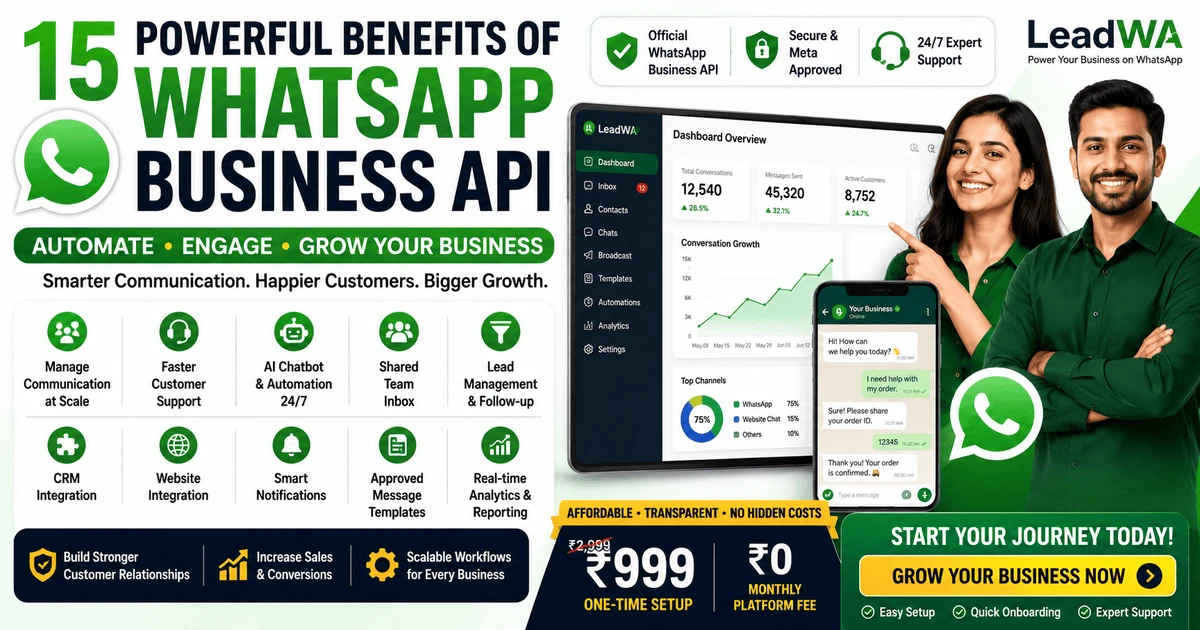
Table of Contents
1. Introduction
Customer communication has become an essential part of business operations. Businesses today need faster, more organised and scalable ways to manage conversations with customers. Whether it is answering product questions, processing orders, sending updates or running promotional campaigns, businesses need communication tools that can keep up with growing customer expectations.
WhatsApp Business API India is designed to help businesses manage customer communication more effectively. It provides capabilities for automation, team collaboration, integration with business systems and scalable messaging workflows.
This guide explores 15 key benefits of the WhatsApp Business Platform and explains how businesses in India can use it to improve customer support, streamline team workflows and build scalable communication processes.
2. What Is WhatsApp Business API?
The WhatsApp Business Platform (API) is Meta's business messaging solution that allows businesses to communicate with customers at scale. It provides APIs, tools and workflows for automation, team collaboration, integrations and structured customer communication.
Businesses generally access WhatsApp API capabilities through compatible platforms, integrations or service providers like LeadWA. These platforms provide user-friendly dashboards, automation tools, team collaboration features and technical support for businesses to manage their WhatsApp communication.
Unlike the free WhatsApp Business App, which is designed for basic business communication, the WhatsApp Business Platform is built for businesses that need automation, team workflows, integrations and scalable customer communication.
Key Point: The WhatsApp Business Platform is accessed through compatible platforms like LeadWA, which provide the tools and support needed to set up and manage business communication effectively.
3. WhatsApp Business API Benefits at a Glance
Here is a quick overview of the 15 key benefits of the WhatsApp Business Platform:
| Benefit | How It Helps Businesses |
|---|---|
| Customer communication at scale | Manage growing customer conversations efficiently |
| Faster customer support | Centralise conversations and assign to team members |
| AI chatbot automation | Automate responses and qualify leads 24/7 |
| Shared team inbox | Collaborate with team members on customer conversations |
| Lead management | Track, assign and follow up on leads effectively |
| CRM integration | Synchronise customer data across business systems |
| Website integration | Add WhatsApp chat entry points to your website |
| Automated notifications | Send order confirmations, shipping updates and reminders |
| Approved message-template workflows | Use structured templates for utility, marketing and authentication |
| Personalised communication | Use customer names and relevant details in messages |
| Rich media support | Share images, videos, documents and product information |
| Real-time webhooks | Receive instant notifications for messages and customer interactions |
| Analytics and reporting | Track delivery, engagement and team performance |
| Customer engagement | Build stronger customer relationships through effective communication |
| Scalable business workflows | Connect communication with automation, teams and integrations |
4. Benefit 1 — Manage Customer Communication at Scale
As businesses grow, customer communication becomes more complex. The WhatsApp Business Platform helps businesses manage customer communication more effectively by providing centralised tools, automation and team workflows.
Instead of managing conversations through individual mobile devices, businesses can use a WhatsApp CRM software to view, respond and manage all customer messages from one place. This helps reduce communication gaps and ensures consistent customer experiences.
5. Benefit 2 — Provide Faster Customer Support
The WhatsApp Business Platform helps businesses provide faster customer support through centralised conversations, conversation assignment to team members and faster response workflows.
Key support features include:
- Centralised conversations: View all customer messages in one place
- Conversation assignment: Assign conversations to the right team members
- Faster response workflows: Respond to customers more efficiently
- Customer-service efficiency: Reduce manual effort and improve team productivity
Note: Response times depend on team availability, workflow setup and business processes. The platform provides tools to help businesses improve support efficiency.
6. Benefit 3 — Automate Common Customer Queries
Businesses receive many common questions from customers daily. The WhatsApp Business Platform helps automate responses for these frequently asked questions, reducing manual effort and improving customer satisfaction.
Automation features include:
- Automated replies: Set up automatic responses for common questions
- Frequently asked questions: Create and manage FAQ workflows
- Business-hour messages: Inform customers about business hours and availability
- Customer-routing workflows: Route customers to the right team members based on their questions
7. Benefit 4 — Use AI Chatbots for Customer Assistance
WhatsApp chatbot for business capabilities can help businesses assist customers through automated communication workflows. AI chatbots can assist with common questions, lead qualification and basic customer workflows, while complex enquiries can be transferred to a team member when required.
Common AI chatbot use cases include:
- Lead qualification: Ask questions to qualify leads automatically
- Basic customer assistance: Answer frequently asked questions
- Appointment workflows: Help customers book appointments
- Customer onboarding: Guide new customers through onboarding processes
Note: AI chatbot capabilities depend on the selected LeadWA plan, configuration, available integrations and implementation requirements.
8. Benefit 5 — Collaborate Through a Shared Team Inbox
The WhatsApp Business Platform supports shared team inboxes that allow multiple team members to collaborate on customer conversations. This is particularly useful for businesses with customer support, sales and marketing teams.
Team collaboration features include:
- Team collaboration: Work together on customer conversations
- Conversation assignment: Assign conversations to team members
- Internal coordination: Coordinate responses and follow-ups
- Centralised customer communication: Manage all customer messages from one place
Note: Team collaboration capabilities depend on the selected LeadWA plan and configuration. Team member limits may apply based on the plan.
9. Benefit 6 — Improve Lead Management and Follow-Up
The WhatsApp Business Platform helps businesses manage leads more effectively. Features include lead capture, assignment, conversation history and follow-up reminders.
Lead management capabilities include:
- Lead capture: Capture leads from conversations
- Lead assignment: Assign leads to team members for follow-up
- Conversation history: View complete conversation history with each lead
- Follow-up reminders: Set reminders for follow-up actions
- Lead qualification: Qualify leads based on conversation data
Note: Lead management capabilities depend on the selected LeadWA plan and configuration. Results such as conversions depend on multiple business factors beyond the platform.
10. Benefit 7 — Connect WhatsApp with CRM Systems
The WhatsApp Business Platform supports integration with CRM systems through REST APIs and webhooks. This allows businesses to synchronise customer data, manage leads and track conversations within their existing CRM systems.
CRM integration benefits include:
- Customer-data synchronisation: Keep customer data updated across systems
- Conversation history: View WhatsApp conversations in the CRM
- Customer profiles: Maintain complete customer profiles
- Workflow automation: Automate CRM workflows based on WhatsApp interactions
Note: Integration availability depends on the CRM platform, API support and technical implementation. Not all CRM systems may support integration with WhatsApp.
11. Benefit 8 — Integrate WhatsApp with Business Websites
Businesses can integrate WhatsApp with their websites to enable enquiry workflows, lead forms, WhatsApp chat entry points and customer support. This helps customers connect with businesses directly from the website.
Website integration capabilities include:
- Website enquiry workflows: Route website enquiries to WhatsApp
- Lead forms: Capture leads through website forms
- WhatsApp chat entry points: Add WhatsApp chat buttons to websites
- Customer support: Provide website visitors with WhatsApp support options
Note: Integration capabilities depend on the website platform, technical implementation and selected LeadWA plan.
12. Benefit 9 — Send Useful Customer Notifications
The WhatsApp Business Platform helps businesses send automated customer notifications using approved message templates. Common notification types include:
- Order confirmation: Confirm customer orders
- Shipping update: Send shipping and delivery updates
- Payment notification: Confirm payment receipts
- Appointment reminder: Remind customers about appointments
- Service update: Provide service status updates
- Booking confirmation: Confirm bookings and reservations
Note: Applicable templates, customer consent and messaging requirements must be followed when sending notifications. Not all message types may be available for every business.
13. Benefit 10 — Use Approved Message Templates
The WhatsApp Business Platform supports approved message templates for business-initiated communication. Template categories include:
- Utility templates: Order confirmations, shipping updates, payment notifications
- Marketing templates: Promotions, offers, product announcements
- Authentication templates: One-time passwords, verification codes
Templates require review and approval before they can be used. This helps ensure quality and compliance with WhatsApp messaging requirements.
Note: Approved message templates are generally used for applicable business-initiated communication according to the message category and customer-conversation context. Not every outbound message requires a template.
14. Benefit 11 — Personalise Customer Communication
Personalisation helps businesses build stronger customer relationships. The WhatsApp Business Platform allows businesses to personalise messages using:
- Customer name: Address customers by their name
- Order details: Include order-specific information
- Appointment information: Provide appointment details
- Relevant account information: Share account-specific updates
Note: Personalisation capabilities depend on the data available in the business system. Businesses should avoid collecting or exposing unnecessary personal data and comply with applicable data protection regulations.
15. Benefit 12 — Share Rich Media with Customers
The WhatsApp Business Platform supports sending rich media content to customers, including:
- Images: Product photos, screenshots
- Videos: Product demonstrations, tutorials
- Documents: PDFs, invoices, reports
- Product information: Product details and specifications
- Relevant business files: Service-related documents
Rich media helps businesses provide more comprehensive customer communication and enhance the customer experience.
16. Benefit 13 — Use Real-Time Webhooks and Automation
Webhooks are real-time event notifications that allow businesses to automate workflows based on WhatsApp interactions. The WhatsApp Business Platform supports webhooks for:
- Incoming-message events: Receive notifications when customers send messages
- Message-status updates: Track message delivery and read status
- Customer-data synchronisation: Sync data with business systems
- Workflow triggers: Trigger automated workflows based on events
Webhooks enable businesses to build connected workflows and automate customer communication processes. Integration with WhatsApp Cloud API integration helps businesses connect with their existing systems and applications.
17. Benefit 14 — Review Analytics and Communication Activity
The WhatsApp Business Platform provides analytics and reporting features to help businesses track communication activity:
- Delivery activity: Track message delivery status
- Read indicators where available: Monitor message read rates
- Campaign activity: Track campaign performance
- Team performance: Monitor team response metrics
- Customer engagement: Measure customer engagement levels
Note: Analytics capabilities depend on the selected provider and plan. Complete tracking may not be available for every message or customer interaction.
18. Benefit 15 — Build Scalable Customer Communication Workflows
The WhatsApp Business Platform helps growing businesses connect communication, automation, teams and integrations into scalable workflows. This allows businesses to:
- Handle increased customer communication volume
- Maintain consistent customer experiences
- Automate repetitive communication tasks
- Integrate communication with business systems
- Scale communication as the business grows
Note: Scalability depends on the selected plan, configuration and implementation. The platform provides tools and capabilities, but business growth depends on multiple factors beyond the platform.
19. Benefits of WhatsApp Business API for Different Business Types
The WhatsApp Business Platform offers benefits for various types of businesses. Here's how different businesses can use it:
Ecommerce and Retail
Order confirmations, shipping updates, product enquiries and promotional campaigns
Clinics and Healthcare
Appointment reminders, patient communication and service updates. Healthcare businesses should follow applicable privacy and data protection regulations.
Education and Coaching
Student communication, course updates and admissions support
Real Estate
Property enquiries, viewing scheduling and customer follow-ups
Travel and Hospitality
Booking confirmations, itinerary updates and customer support
Restaurants
Reservation confirmations, order updates and promotional offers
Local Service Businesses
Customer enquiries, appointment updates, service reminders and follow-up communication
Professional Services
Client communication, appointment scheduling and document sharing
20. WhatsApp Business App vs WhatsApp Business API Benefits
Understanding the benefits of each solution helps businesses choose the right option:
| Feature | WhatsApp Business App | WhatsApp Business Platform/API |
|---|---|---|
| Best for | Very small businesses | Growing and medium businesses |
| Customer communication | Basic | Scalable |
| Linked-device access | Limited | Advanced team workflows through compatible platforms, depending on provider and plan |
| Team workflows | Limited | Advanced team workflows |
| Basic automated replies | ✓ Limited | ✓ Advanced |
| AI chatbot workflows | ✗ No | ✓ Yes |
| Shared team inbox | ✗ No | ✓ Yes |
| CRM integration | ✗ No | ✓ Yes |
| API access | ✗ No | ✓ Yes |
| Webhook support | ✗ No | ✓ Yes |
| Approved message-template workflows | ✗ No | ✓ Yes |
| Analytics | Basic | Detailed |
| Custom integrations | ✗ No | ✓ Yes |
| Scalability | Limited | Scalable |
Key Difference: The WhatsApp Business App provides basic business tools and limited linked-device access, while the WhatsApp Business Platform supports advanced team workflows, automation, API integrations and scalable customer communication through compatible platforms.
21. Potential Limitations and Considerations
While the WhatsApp Business Platform offers many benefits, there are some limitations and considerations to keep in mind:
- Business onboarding may be required: Businesses may need to complete verification and onboarding processes through Meta
- Phone-number eligibility requirements may apply: Not all phone numbers may be eligible for WhatsApp Business Platform onboarding
- Message-template review may apply: Templates require review and approval before use
- Customer consent requirements: Businesses must obtain appropriate customer consent for marketing communication
- Messaging policies: Businesses must comply with applicable WhatsApp Business messaging requirements
- Message-usage charges: Message usage charges apply based on the selected message pack
- Technical setup requirements: Technical setup may be required depending on the integration
- Integration complexity may vary: Integration complexity depends on the systems and technical requirements
- Meta requirements may change: WhatsApp and Meta policies and requirements may change over time
Important: The WhatsApp Business Platform may not be suitable for every business. Evaluate your specific business needs, technical capabilities and resources before making a decision.
22. When Should a Business Consider WhatsApp Business API?
Here are signs that a business may benefit from the WhatsApp Business Platform:
- Customer enquiries are increasing: More customers are contacting the business through WhatsApp
- Multiple team members manage communication: Team collaboration and shared inbox are needed
- Automation is needed: Repetitive customer communication tasks need automation
- CRM integration is needed: WhatsApp communication needs to be connected with CRM systems
- Business notifications are needed: Automated order confirmations, shipping updates and reminders are required
- More organised customer communication is required: Centralised and structured communication workflows are needed
Key Point: If your business is experiencing any of these signs, the WhatsApp Business Platform may be beneficial for improving customer communication and team collaboration.
23. How to Get Started with LeadWA
WhatsApp Business API India setup with LeadWA involves the following steps:
- Step 1: Create a LeadWA account with accurate business and contact information
- Step 2: Submit accurate business information including business name, website, email and address
- Step 3: Complete applicable Meta onboarding requirements including Meta Business Portfolio setup
- Step 4: Connect an eligible business phone number that meets WhatsApp onboarding requirements
- Step 5: Configure business profile and create message templates
- Step 6: Configure team workflows, automation and integrations based on business needs
- Step 7: Test customer communication workflows
- Step 8: Start managing customer communication through the platform
Note: Setup requirements and timelines depend on business information, account eligibility, phone-number eligibility, Meta review requirements and technical configuration. LeadWA provides guidance throughout the setup process.
24. WhatsApp Business API Pricing
WhatsApp Business API pricing with LeadWA is transparent and affordable:
Platform Setup
₹999
One-time fee
No recurring charges
Monthly Platform Subscription
₹0
No monthly fees
Zero platform subscription
Message Usage
Charged Separately
Based on selected pack
Utility, marketing, authentication
Important: Pricing, taxes, message-pack validity, usage conditions and underlying messaging rates may change. Review the current LeadWA pricing page before purchase.
25. Best Practices for Using WhatsApp Business API
To make the most of the WhatsApp Business Platform, businesses should follow these best practices:
- Obtain appropriate customer consent: Always obtain clear consent before sending messages, especially for marketing communication
- Send relevant customer communication: Ensure all messages are relevant and valuable to customers
- Avoid excessive messaging: Don't overload customers with too many messages
- Use accurate business information: Keep business information accurate and up to date
- Respect opt-out requests: Respond promptly to opt-out requests
- Protect customer information: Handle customer data responsibly and comply with applicable data protection regulations
- Monitor message quality: Track message quality ratings and maintain high-quality communication
- Follow applicable WhatsApp Business messaging requirements: Comply with WhatsApp and Meta policies and requirements
26. Frequently Asked Questions
What are the main benefits of WhatsApp Business API?
The main benefits of WhatsApp Business API include scalable customer communication, faster customer support, AI chatbot automation, shared team inbox, lead management, CRM integration, website integration, automated notifications, approved message-template workflows, personalised communication, rich media support, real-time webhooks, analytics and reporting, customer engagement, and scalable business workflows.
Is WhatsApp Business API useful for small businesses?
Yes, the WhatsApp Business Platform is designed for businesses of all sizes, including small and medium businesses. With providers like LeadWA, small businesses can access the API with a one-time setup fee and no monthly subscription. WhatsApp Business API for small businesses provides features like automation, team collaboration and CRM integration that help small businesses grow.
How does WhatsApp Business API improve customer support?
WhatsApp Business API improves customer support through centralised conversations, conversation assignment to team members, faster response workflows, AI chatbots for instant replies, and automated responses for common questions.
Can WhatsApp Business API support multiple team members?
Yes, the WhatsApp Business Platform supports shared team inboxes that allow multiple team members to collaborate, assign conversations, and respond to customers from a single platform, depending on the provider and plan.
Does WhatsApp Business API support AI chatbots?
Yes, the WhatsApp Business Platform supports AI chatbot capabilities for automating customer support, lead qualification, handling frequently asked questions, appointment workflows, and customer onboarding. Chatbot capabilities depend on the selected plan and configuration.
Can WhatsApp Business API integrate with a CRM?
Yes, the WhatsApp Business Platform supports CRM integration through REST APIs and webhooks. This allows businesses to synchronise customer data, manage leads and track conversations within their existing CRM systems. Integration availability depends on the CRM platform, API support and technical implementation.
Can I connect WhatsApp Business API with my website?
Yes, businesses can integrate WhatsApp Business API with their websites to enable enquiry workflows, lead forms, WhatsApp chat entry points and customer support. Integration capabilities depend on the website platform and technical implementation.
Does WhatsApp Business API support automated notifications?
Yes, the WhatsApp Business Platform supports automated notifications including order confirmations, shipping updates, payment notifications, appointment reminders, service updates and booking confirmations using approved message templates with appropriate customer consent.
What types of message templates are available?
WhatsApp Business Platform supports utility templates (order confirmations, shipping updates, payment notifications), marketing templates (promotions, offers, product announcements), and authentication templates (one-time passwords, verification codes). Templates require review and approval before use.
Can businesses send marketing messages using WhatsApp Business API?
Yes, businesses can send marketing messages using Meta-approved templates. Marketing messages follow different pricing compared to utility messages and require appropriate customer opt-in consent. All marketing communications must comply with WhatsApp policies. WhatsApp marketing software can help businesses manage marketing campaigns effectively.
Does WhatsApp Business API support images and documents?
Yes, the WhatsApp Business Platform supports sending images, videos, documents, product information, invoices and relevant business files to customers through the API.
What are WhatsApp webhooks?
Webhooks are real-time event notifications that allow businesses to receive updates on incoming messages, message status, customer interactions and other events. This enables automated workflows and integration with business systems.
Does WhatsApp Business API provide analytics?
Yes, the WhatsApp Business Platform provides analytics including delivery activity, read indicators where available, campaign activity, team performance and customer engagement insights. Analytics capabilities depend on the selected provider and plan.
How much does WhatsApp Business API cost with LeadWA?
LeadWA offers a one-time platform setup fee of ₹999 for WhatsApp Business API. There are no monthly platform fees. Message usage charges apply separately based on the selected message pack. Check the pricing page for current details.
Does LeadWA charge a monthly platform subscription?
No. LeadWA charges a one-time platform setup fee only. There are no recurring monthly fees. You pay once for platform access and then only for message usage based on your selected message pack.
Does LeadWA guarantee Meta approval or Green Tick approval?
LeadWA provides guidance and setup assistance but does not guarantee Meta verification, display-name approval or Green Tick approval. Final decisions are made by Meta based on their eligibility criteria and business verification requirements.
27. Final Recommendation
The WhatsApp Business App may be suitable if:
- You have a very small business with basic communication needs
- You have low message volume
- You don't need team collaboration or automation
- You don't require CRM or API integrations
The WhatsApp Business Platform may be useful if:
- Your business needs automation, team workflows or API integrations
- You need approved message-template communication
- You require CRM connectivity and webhooks
- You need scalable customer communication
- Your business is growing and needs more advanced communication tools
Key Takeaway: The WhatsApp Business Platform offers 15 key benefits for businesses in India, from automation and team collaboration to CRM integration and scalable communication. With LeadWA's one-time setup and no monthly platform fees, it's an accessible solution for businesses looking to improve their customer communication.
Explore More LeadWA Resources
Learn more about WhatsApp Business solutions with these helpful resources:
How to Get WhatsApp Business API in India
Complete step-by-step guide for Indian businesses to get WhatsApp Business API.
WhatsApp Business API Cost in India
Detailed breakdown of WhatsApp Business API pricing, setup costs and message charges.
WhatsApp Business API vs WhatsApp Business App
Complete comparison guide to help you choose the right WhatsApp solution.
WhatsApp Business API for Small Business
Discover how WhatsApp Business API helps small businesses automate support and manage leads.