WhatsApp Business API for Small Business in India
Discover how WhatsApp Business API helps small businesses in India automate support, manage leads, collaborate as a team and improve customer communication.
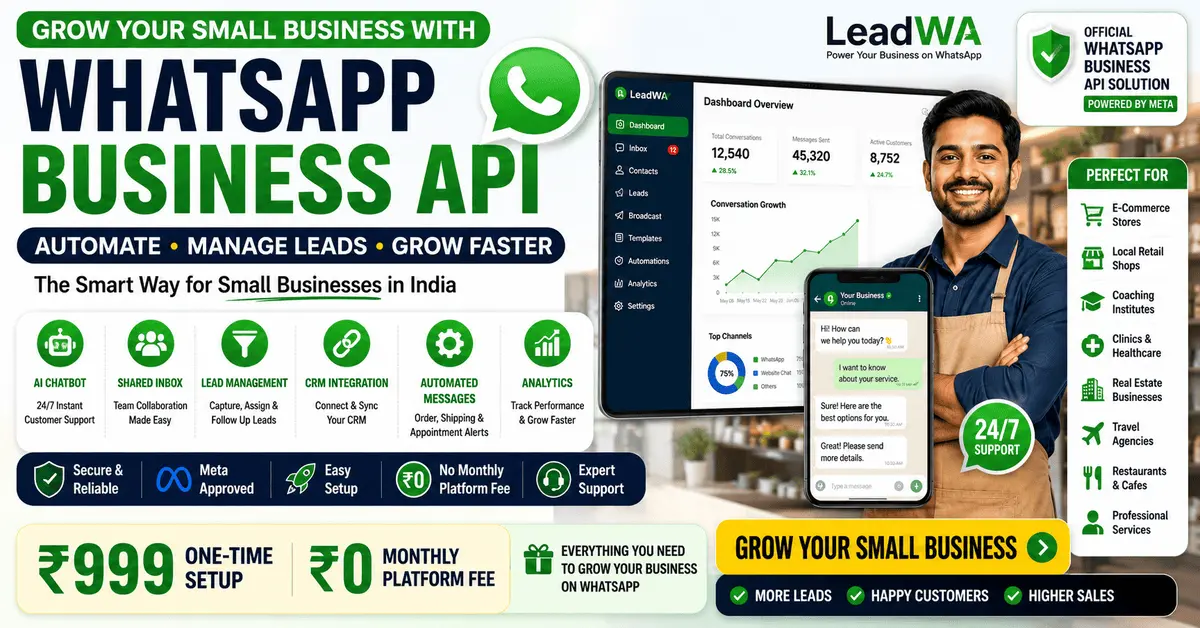
Table of Contents
1. Introduction
WhatsApp is one of the most popular messaging platforms in India, with millions of users across the country. For small businesses, WhatsApp offers a direct and personal way to connect with customers, answer questions, share updates and build relationships.
While the free WhatsApp Business App works well for very small businesses with basic needs, many small businesses eventually need more advanced features. This is where the WhatsApp Business Platform (API) comes in.
The WhatsApp Business API helps small businesses automate customer support, manage leads, collaborate as a team and improve overall customer communication through compatible platforms like LeadWA.
Key Insight: The WhatsApp Business Platform is designed for businesses of all sizes, including small and medium businesses. With providers like LeadWA, small businesses can access the API with a one-time setup fee and no monthly subscription.
2. What Is WhatsApp Business API for Small Businesses?
The WhatsApp Business Platform (API) is an API-based business messaging solution that helps businesses communicate with customers at scale. For small businesses, it provides:
- Automated customer support through AI chatbots and automated message workflows
- Team collaboration through shared inboxes and conversation assignment
- Lead management with CRM integration and conversation tracking
- Approved message templates for structured communication
- Scalable communication for growing customer bases
- Integration capabilities with websites, CRMs and business systems
Note: The WhatsApp Business Platform is accessed through compatible platforms like LeadWA, which provide user-friendly dashboards, automation tools and technical support.
3. Why Small Businesses in India Use WhatsApp for Customer Communication
WhatsApp has become an essential communication tool for small businesses in India for several reasons:
- Widespread usage: Over 500 million users in India use WhatsApp, making it an accessible channel for customer communication
- Personal connection: WhatsApp provides a direct and personal way to connect with customers
- Instant messaging: Real-time communication for quick responses and updates
- Rich media support: Share images, videos, documents and voice messages
- Cost-effective: Internet-based communication reduces costs compared to SMS or phone calls
- Customer preference: Many customers prefer WhatsApp for business communication
4. Key Benefits of WhatsApp Business API for Small Businesses
The WhatsApp Business Platform offers numerous benefits that help small businesses operate more efficiently and communicate more effectively with customers.
Shared Team Inbox
Multiple team members can collaborate, assign conversations and respond to customers from a single platform.
Customer Support Automation
Automate responses to common questions, provide instant support and reduce manual effort.
AI Chatbot
Deploy AI-powered chatbots for instant responses, lead qualification and customer engagement 24/7.
Lead Management
Track conversations, qualify leads, assign to team members and manage follow-ups effectively.
Approved Message Templates
Use pre-approved templates for utility, marketing and authentication messages with proper consent.
CRM Integration
Connect with CRM systems to synchronise customer data, manage relationships and track interactions.
Website Integration
Add WhatsApp chat widgets to your website for seamless customer communication.
Real-time Webhooks
Receive real-time notifications for messages, status updates and customer interactions.
Customer Notifications
Send automated order confirmations, shipping updates, appointment reminders and more.
Analytics and Reporting
Track message performance, customer engagement and team productivity with detailed analytics.
Note: Benefits and features may depend on the selected LeadWA plan, Meta requirements, account eligibility and technical implementation.
5. WhatsApp Business App vs WhatsApp Business API for Small Businesses
Understanding the differences between the WhatsApp Business App and the WhatsApp Business Platform is essential for choosing the right solution.
| Feature | WhatsApp Business App | WhatsApp Business Platform |
|---|---|---|
| Best for | Very small businesses | Growing small businesses |
| Team collaboration | Limited linked-device access | Shared team workflows, depending on provider and plan |
| Automation | Basic greeting and away messages | AI chatbots, automated workflows, smart routing |
| Integration | No API access | CRM, API, webhook, website integration |
| Message templates | Quick replies only | Approved utility, marketing, authentication templates |
| Analytics | Basic statistics | Detailed analytics and reporting |
| Scalability | Limited | Scalable for business growth |
| Cost | Free | One-time setup fee + message usage charges |
Key Difference: The WhatsApp Business App provides basic business tools and linked-device access, while the WhatsApp Business Platform supports advanced team workflows, automation, API integrations and scalable customer communication through compatible platforms.
6. Small-Business Use Cases for WhatsApp Business API
The WhatsApp Business Platform can help various types of small businesses improve their customer communication:
Ecommerce Stores
Order confirmations, shipping updates, product enquiries and promotional messages.
Local Retail Shops
Product availability, store updates, customer enquiries and promotional communication.
Coaching Centres
Student communication, class updates, fee reminders and admissions support.
Clinics and Healthcare
Appointment reminders, patient communication, prescription updates and health tips.
Real Estate
Property enquiries, viewing scheduling, documentation and customer follow-ups.
Travel Agencies
Booking confirmations, itinerary updates, travel tips and customer support.
Restaurants
Reservation confirmations, order updates, menu enquiries and promotional offers.
Professional Services
Client communication, appointment scheduling, document sharing and service updates.
7. How Small Businesses Can Automate Customer Support with WhatsApp
Automating customer support on WhatsApp helps small businesses save time, reduce manual effort and provide faster responses to customers.
Key Automation Features:
- AI Chatbots: Deploy AI-powered chatbots to handle common customer enquiries instantly, 24/7
- Automated Replies: Set up automated responses for frequently asked questions
- Smart Routing: Route conversations to the right team members based on content or customer attributes
- Follow-up Automation: Schedule and send automated follow-up messages for lead nurturing
- Notification Automation: Send automated order confirmations, shipping updates and appointment reminders
Tip: Start with a simple chatbot for common questions and gradually expand automation based on customer needs and team capacity.
8. How AI Chatbots Can Help Small Businesses
AI chatbots on WhatsApp can help small businesses in several ways:
- 24/7 Availability: Provide instant customer support even outside business hours
- Lead Qualification: Automatically qualify leads by asking relevant questions
- FAQs Handling: Answer common questions without manual intervention
- Appointment Booking: Allow customers to book appointments through the chatbot
- Order Tracking: Help customers track their orders and get updates
- Customer Onboarding: Guide new customers through the onboarding process
- Feedback Collection: Gather customer feedback and satisfaction ratings
Note: AI chatbot capabilities may depend on the selected LeadWA plan and configuration. Start with a simple chatbot and expand as needed.
9. WhatsApp CRM and Lead Management
The WhatsApp Business Platform helps small businesses manage leads and customer relationships more effectively:
- Conversation Tracking: Track all customer conversations in one place
- Lead Assignment: Assign leads to team members for follow-up
- Contact Management: Maintain a centralised database of customer contacts
- Interaction History: View complete interaction history with each customer
- CRM Integration: Synchronise WhatsApp conversations with your CRM system
- Lead Scoring: Score leads based on engagement and activity
- Follow-up Reminders: Set reminders for follow-up actions
Key Benefit: WhatsApp CRM integration helps small businesses centralise customer data, improve team collaboration and provide better customer experiences.
10. Customer Communication Examples with WhatsApp Business API
Here are examples of how small businesses can use the WhatsApp Business Platform to communicate with customers:
Order Confirmation
Confirm customer orders with details, estimated delivery and order tracking information.
Shipping Update
Send shipping notifications with tracking numbers and delivery updates.
Appointment Reminder
Remind customers about upcoming appointments, consultations or service bookings.
Lead Follow-up
Automate follow-up messages for leads who have shown interest but haven't converted yet.
Customer Support Update
Provide updates on support tickets, issue resolution and service status.
Promotional Communication
Send promotional offers and announcements to customers who have provided consent.
Note: Marketing and promotional messages require appropriate customer consent and must use approved message templates.
11. WhatsApp Business API Setup Process
Setting up the WhatsApp Business Platform with LeadWA involves the following steps:
- Create LeadWA Account: Register with accurate business and contact information on LeadWA.
- Submit Business Details: Provide your business name, website, business email, address and relevant information.
- Complete Applicable Meta Setup: Access or create a Meta Business Portfolio during the onboarding process.
- Connect an Eligible Phone Number: Choose a business phone number that meets the applicable WhatsApp onboarding requirements.
- Configure Business Profile: Add an accurate display name, business category, description, website and contact information.
- Create Message Templates: Prepare appropriate utility, marketing or authentication templates and complete the applicable review process.
- Configure Automation: Set up AI chatbots, automated workflows and customer engagement flows.
- Start Customer Communication: Test messaging workflows and begin communicating with customers according to applicable consent and messaging requirements.
Note: Setup time depends on the completeness of business information, phone-number eligibility, Meta review requirements, display-name review, template review and technical configuration. LeadWA provides guidance throughout the setup process.
12. WhatsApp Business API Pricing for Small Businesses
LeadWA offers transparent and affordable pricing for small businesses:
Platform Setup
₹999
One-time fee
No recurring charges
Monthly Subscription
₹0
No monthly fees
Zero platform subscription
Message Usage
Charged Separately
Based on selected pack
Utility, marketing, authentication
Important: The one-time setup fee covers platform access and configuration. Message packs are purchased separately based on your communication needs. Pricing, taxes, message-pack terms and underlying messaging rates may change. Review the current pricing page before purchase.
13. Best Practices for Small Businesses Using WhatsApp Business API
Follow these best practices to make the most of your WhatsApp Business Platform:
- Obtain Appropriate Customer Consent: Always obtain clear consent before sending messages, especially for marketing communication
- Send Relevant Communication: Ensure all messages are relevant, timely and valuable to customers
- Avoid Excessive Messaging: Don't overload customers with too many messages. Quality over quantity is important
- Use Clear Opt-out Instructions: Provide clear instructions for customers who wish to unsubscribe
- Protect Customer Information: Handle customer data responsibly and comply with applicable data protection regulations
- Monitor Message Quality: Track message quality ratings and maintain high-quality communication
- Follow WhatsApp Policies: Comply with applicable WhatsApp Business messaging requirements and Meta policies
14. Common Mistakes to Avoid
Small businesses should avoid these common mistakes when using the WhatsApp Business Platform:
- Sending Unsolicited Messages: Always obtain proper consent before sending messages, especially for marketing purposes
- Using Unapproved Templates: Only use approved message templates for outbound business-initiated communication
- Poor Message Quality: Ensure messages are clear, accurate and provide value to customers
- Ignoring Opt-out Requests: Respect customer opt-out requests promptly
- Missing Business Verification: Complete all required business verification steps to avoid service interruptions
- Lack of Customer Data Protection: Implement appropriate data protection measures and policies
15. When Should a Small Business Upgrade to the WhatsApp Business Platform?
Here are signs that it's time for a small business to upgrade from the WhatsApp Business App to the WhatsApp Business Platform:
Growing Team
You have multiple team members who need to manage customer conversations collaboratively.
Increasing Message Volume
You're receiving more customer messages than one person can handle effectively.
Integration Needs
You need to connect WhatsApp with your CRM, website or other business systems.
Automation Requirements
You need AI chatbots, automated workflows or intelligent conversation routing.
Marketing Campaigns
You want to send promotional messages with approved marketing templates and proper consent.
Analytics and Reporting
You need detailed insights on message performance, team productivity and customer engagement.
Key Takeaway: If your small business is experiencing any of these growth indicators, it's time to consider upgrading to the WhatsApp Business Platform. The investment is justified by the advanced features that support business growth.
16. Frequently Asked Questions
What is WhatsApp Business API for small businesses?
WhatsApp Business API is an API-based business messaging solution that helps small businesses automate customer support, manage leads, collaborate as a team and improve customer communication through compatible platforms like LeadWA.
How much does WhatsApp Business API cost for small businesses in India?
LeadWA offers a one-time platform setup fee of ₹999 for WhatsApp Business API. There are no monthly platform fees. Message usage charges apply separately based on the selected message pack.
Can small businesses use WhatsApp automation?
Yes, small businesses can use WhatsApp automation through the WhatsApp Business Platform. This includes AI chatbots, automated message workflows, appointment reminders, order confirmations and lead follow-ups.
Is WhatsApp Business API only for large enterprises?
No. The WhatsApp Business Platform is designed for businesses of all sizes, including small and medium businesses. With providers like LeadWA, small businesses can access the API with a one-time setup fee and no monthly subscription.
How can small businesses use WhatsApp for customer support?
Small businesses can use WhatsApp for customer support through AI chatbots for instant responses, automated replies for common questions, shared team inbox for collaborative support and approved message templates for structured communication.
What is the difference between WhatsApp Business App and WhatsApp Business API for small businesses?
The WhatsApp Business App provides basic business tools and linked-device access, while the WhatsApp Business Platform supports advanced team workflows, automation, API integrations and scalable customer communication through compatible platforms like LeadWA.
Can I integrate WhatsApp with my CRM for small business?
Yes, the WhatsApp Business Platform supports CRM integration through REST APIs and webhooks. This allows small businesses to synchronise customer data, manage leads and track conversations within their existing CRM systems.
How can small businesses use WhatsApp chatbots?
Small businesses can deploy AI-powered chatbots on WhatsApp to automate customer support, qualify leads, answer frequently asked questions, book appointments and provide instant responses 24/7.
How does WhatsApp Business API help with lead management?
The WhatsApp Business Platform helps with lead management through automated lead qualification, conversation tracking, CRM integration, lead assignment to team members and automated follow-up sequences.
What are the requirements for WhatsApp Business API setup?
Requirements include an active business, accurate business name, website, business email, phone number, Meta account access, Meta Business Portfolio, eligible WhatsApp phone number, privacy policy and appropriate customer-consent process.
How long does WhatsApp Business API setup take for small businesses?
Setup time depends on the completeness of business information, phone-number eligibility, Meta review requirements, display-name review, template review and technical configuration. LeadWA provides guidance throughout the setup process.
Is WhatsApp Business API suitable for local shops and small retailers?
Yes, the WhatsApp Business Platform is suitable for local shops, small retailers and service businesses. It helps automate order confirmations, share product updates, manage customer enquiries and send promotional messages with appropriate consent.
Does LeadWA provide WhatsApp Business Platform setup for small businesses?
Yes, LeadWA provides guided WhatsApp Business Platform setup for small businesses in India. This includes one-time setup, phone verification, business profile configuration, Meta Business Portfolio guidance, message template creation, team setup and integration support.
17. Final Recommendation
Start with the WhatsApp Business App if:
- You're a solopreneur or very small business with 1-2 employees
- You have low message volume (under 50 messages per day)
- You don't need team collaboration or automation
- You have a limited budget for business tools
Upgrade to the WhatsApp Business Platform if:
- Your small business is growing with 3+ team members
- You need team collaboration and shared inbox
- You want to automate customer support and lead management
- You require CRM, website or API integrations
- You need AI chatbots and automated workflows
- You want to send marketing messages with approved templates
- You need detailed analytics and reporting
Key Takeaway: The WhatsApp Business Platform is a powerful tool that helps small businesses in India automate customer communication, manage leads effectively and scale their operations. With LeadWA's affordable one-time setup and no monthly fees, it's an accessible solution for growing small businesses.
Explore More LeadWA Resources
Learn more about WhatsApp Business solutions with these helpful resources:
WhatsApp Business API India
Explore WhatsApp Business Platform features, setup and business communication tools.
WhatsApp Cloud API India
Learn about Cloud API connectivity, webhooks and business integrations.
WhatsApp Marketing Software India
Manage customer campaigns, templates, audiences and communication workflows.
WhatsApp Business API Pricing
Review LeadWA setup pricing, message packs and available business solutions.
How to Get WhatsApp Business API in India
Complete step-by-step guide for Indian businesses to get WhatsApp Business API.
WhatsApp Business API Cost in India
Detailed breakdown of WhatsApp Business API pricing, setup costs and message charges.
WhatsApp Business API vs WhatsApp Business App
Complete comparison guide to help you choose the right WhatsApp solution.